Free calculator
Square fee calculator
Fee
$3.60
You receive
$96.40
Effective rate
3.6%
Same payment with Anytime Capital Payments · 2.75% + 30¢
Fee $3.05, you receive $96.95· $0.55 less than Square
First 90 days at 2.5% + 30¢: $2.80 fee Claim the launch offer
Fee on $100.00 at every rate
- Online and invoices (Free plan) · 3.3% + 30¢$3.60
- Online and invoices (Plus or Premium) · 2.9% + 30¢$3.20
- In person (Free plan) · 2.6% + 15¢$2.75
- In person (Plus plan) · 2.5% + 15¢$2.65
- Keyed-in or card on file · 3.5% + 15¢$3.65
- ACH bank payment on an invoice (Free plan) · 1%, $1 minimum$1.00
- Anytime Capital · 2.75% + 30¢$3.05
Enter any amount to see what Square keeps and what you receive, on each of Square's US rates: online and invoices, in person, keyed-in and card on file, and ACH on invoices, by plan. Switch to “What to charge” to work back from the amount you need. For a like-for-like online sale, the same payment at Anytime Capital Payments's 2.75% + 30¢ sits beside it.
- The fee on a sale, or what to charge to receive an amount
- Every rate Square publishes for US businesses
- Beside the same payment at 2.75% + 30¢
Updated October 2026. Published US rates; where a figure is not published, the calculator leaves it out rather than guess.
Quick answer
How much does Square take from $100?
It depends on how you take the payment. Online or on an invoice on Square's Free plan, $3.60 (3.3% + 30¢); in person, $2.75 (2.6% + 15¢); keyed in or charged to a card on file, $3.65 (3.5% + 15¢). Square Plus, at $49 a month per location, lowers the online rate to 2.9% + 30¢ ($3.20). A $100 online sale at Anytime Capital Payments's 2.75% + 30¢ costs $3.05.
Common amounts
Square fees on common amounts
| Sale | Square fee | You receive | Anytime Capital fee | You receive |
|---|---|---|---|---|
| $10 | $0.63 | $9.37 | $0.58 | $9.42 |
| $25 | $1.13 | $23.87 | $0.99 | $24.01 |
| $50 | $1.95 | $48.05 | $1.68 | $48.32 |
| $100 | $3.60 | $96.40 | $3.05 | $96.95 |
| $250 | $8.55 | $241.45 | $7.18 | $242.82 |
| $500 | $16.80 | $483.20 | $14.05 | $485.95 |
| $1,000 | $33.30 | $966.70 | $27.80 | $972.20 |
| $5,000 | $165.30 | $4,834.70 | $137.80 | $4,862.20 |
Square: online and invoices (free plan) at 3.3% + 30¢. Anytime Capital: 2.75% + 30¢, or 2.5% + 30¢ for the first 90 days with the launch offer. Each fee rounded to the cent.
Work backwards
What to charge to receive an exact amount
| To receive | Charge on Square | Charge on Anytime Capital |
|---|---|---|
| $25 | $26.16 | $26.02 |
| $100 | $103.72 | $103.14 |
| $500 | $517.37 | $514.45 |
| $1,000 | $1,034.44 | $1,028.59 |
| $5,000 | $5,170.94 | $5,141.70 |
The smallest charge, to the cent, that leaves at least the target after the fee: (target + fixed fee) ÷ (1 − percentage), rounded up.
Published rates
Every Square rate on a $100 payment
| Payment | Published rate | Fee on $100 | You receive |
|---|---|---|---|
| Online and invoices (Free plan) | 3.3% + 30¢ | $3.60 | $96.40 |
| Online and invoices (Plus or Premium) | 2.9% + 30¢ | $3.20 | $96.80 |
| In person (Free plan) | 2.6% + 15¢ | $2.75 | $97.25 |
| In person (Plus plan) | 2.5% + 15¢ | $2.65 | $97.35 |
| Keyed-in or card on file | 3.5% + 15¢ | $3.65 | $96.35 |
| ACH bank payment on an invoice (Free plan) | 1%, $1 minimum | $1.00 | $99.00 |
| Anytime Capital, US online card or wallet | 2.75% + 30¢ | $3.05 | $96.95 |
Square's published US pricing as of October 2026. Launch offer: 2.5% + 30¢ for your first 90 days, $2.80 on $100.
How Square's fee is worked out
Square charges a percentage plus a fixed fee, and both depend on how the payment is taken and which plan you are on. Online on the Free plan the fee is the amount × 0.033 + $0.30: $2.78 on a $75 sale. In person it is the amount × 0.026 + $0.15: $2.10 on the same $75.
Square moved to unified Free, Plus and Premium plans in late 2025. Third-party coverage reports that the Free plan's online rate rose from 2.9% to 3.3% at the same time, and the in-person fixed fee from 10¢ to 15¢; keyed-in and card-on-file payments are 3.5% + 15¢.
- Online and invoices: 3.3% + 30¢ Free; 2.9% + 30¢ Plus and Premium
- In person: 2.6% + 15¢ Free, 2.5% + 15¢ Plus, 2.4% + 15¢ Premium
- Keyed-in and card on file: 3.5% + 15¢
- ACH on invoices: 1%, $1 minimum; capped at $10 on Plus and Premium
Is Square Plus worth it for the online rate?
Plus lowers the online rate by 0.4 points for $49 a month per location, so on rate alone it pays for itself above about $12,250 a month of online sales. Below that, the Free plan's higher rate costs less than the subscription. Plus brings features beyond pricing, so that is not the whole decision.
For comparison, a business doing $10,000 a month online in $50 sales pays $390.00 on Square Free, $350.00 plus $49 on Plus, and $335.00 at 2.75% + 30¢ with no monthly fee.
What to charge so you receive an exact amount
Add the fixed fee to the amount you want and divide by one minus the percentage. For an online payment on the Free plan: charge = (target + $0.30) ÷ (1 − 0.033). To receive $200, charge $207.14 online, or $205.49 in person. The calculator's “What to charge” mode handles every Square rate, including the ACH minimum.
Grossing up a price is different from adding a separate card surcharge. Surcharges are restricted by card-network rules and some state laws: they are capped, must be disclosed before payment and are not allowed on debit cards. Building the fee into your price, or invoicing large amounts by bank payment, avoids the question. This is general information, not legal advice.
Square fees this calculator leaves out
The calculator covers the processing fee on each payment. Square prices these separately, as of October 2026:
- Instant transfers: 1.95% of the transfer; next-business-day transfers are free
- Plans: $0 Free, $49 Plus, $149 Premium, per location
- Afterpay: 6% + 30¢ on Plus and Premium
- Disputes: No dispute fee today; the processing fee is lost if you lose
The same sale with Anytime Capital
Online, Anytime Capital Payments is 2.75% + 30¢ with no monthly fee: 0.55 points under Square Free and 0.15 under Square Plus, before Plus's $49 a month. A saved card or subscription is 2.75% + 30¢ too, against Square's 3.5% + 15¢ for card on file. Settled sales sweep into your Anytime Capital business account instantly, rather than by a priced instant transfer.
In person, Square is the better deal and has the hardware for it: 2.4% to 2.6% + 15¢ with readers and registers you can buy. Anytime Capital's in-person checkout runs on the customer's own phone with no terminal, which suits appointments, deliveries and markets more than a busy counter.
Launch offer
Try Anytime Capital Payments: 2.5% + 30¢ for your first 90 days
Then 2.75% + 30¢ per card or wallet payment, with no monthly, setup or PCI fees. Links, invoices and in-person payments from day one, payouts to your bank (instant where eligible), and QuickBooks Online or Xero sync.
- 2.75% + 30¢ online, 2.5% + 30¢ for 90 days
- No monthly, setup or PCI fees
- Payouts to your bank, instant where eligible
- Live US business team
Payment processing
A complete payments stack, from your website to your bank account
Checkout, 3D Secure, risk rules and instant payouts in one product, at 2.75% + 30¢ per card or wallet payment, 2.5% + 30¢ for your first 90 days. No gateway to bolt on and no separate merchant account.
Your website
A Pay button, the checkout inline, or a hosted checkout on pay.yourbusiness.com.
Checkout
Visa, Mastercard, Amex, Discover, Apple Pay, Google Pay and ACH, in your logo and colour.
- AMEX
- ACH
3D Secure
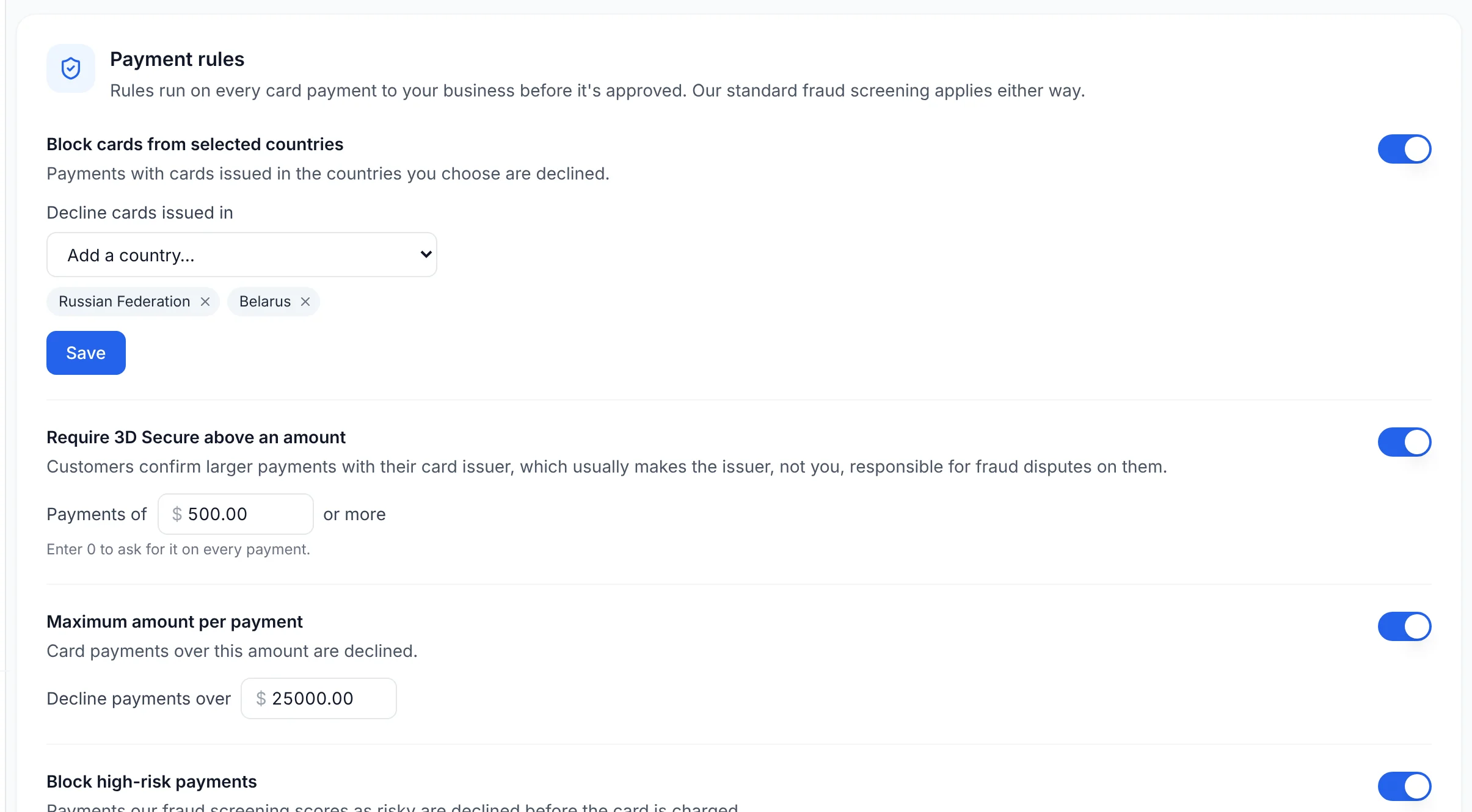
Customers confirm larger payments with their bank, which usually moves fraud liability to the issuer.
Risk rules
Block card countries, cap amounts and decline high-risk scores before the card is charged.
Instant payout
Settled sales land in your Anytime Capital bank account, nights and weekends included.
3D Secure and risk rules, in the dashboard
<a href="https://anytime-capital.com/pay/business/pl_8fK2mQ" data-anytime-pay="pl_8fK2mQ">Pay $384.00</a><script async src="https://anytime-capital.com/embed/anytime-pay.js"></script>Customers pay in a secure window over your page. Where a builder strips scripts, the same link opens your hosted checkout on your own domain.
The real product
Invoices, checkouts and receipts your customers actually see
Every screen below is the Anytime Capital product, rendered with demo data: your logo and colours on the invoice, the checkout and the receipt, and the money in your account the minute it settles.
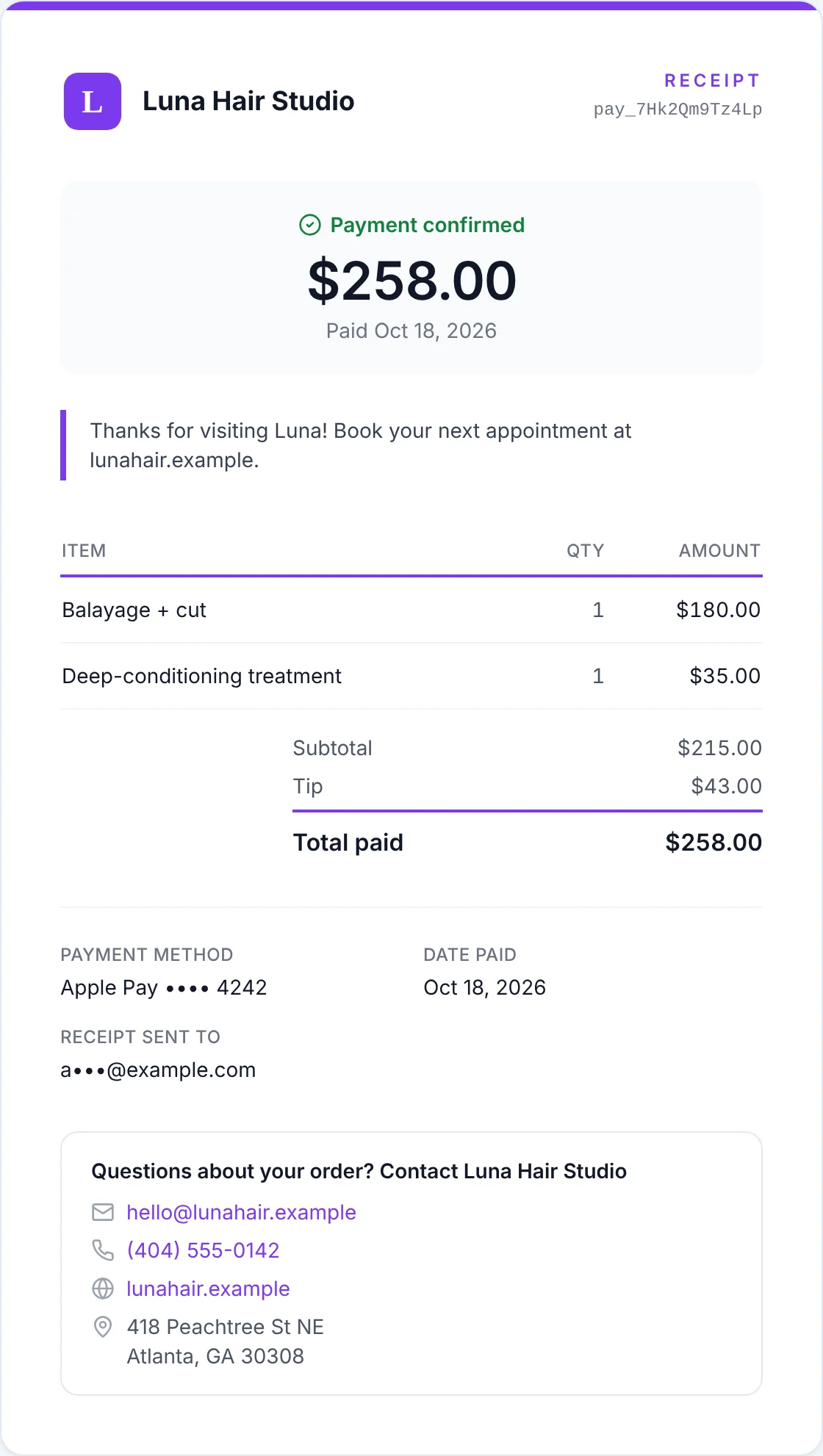 Salons & spasThe receipt, with the tip and the salon's own thank-you messagePayments for salons & spas
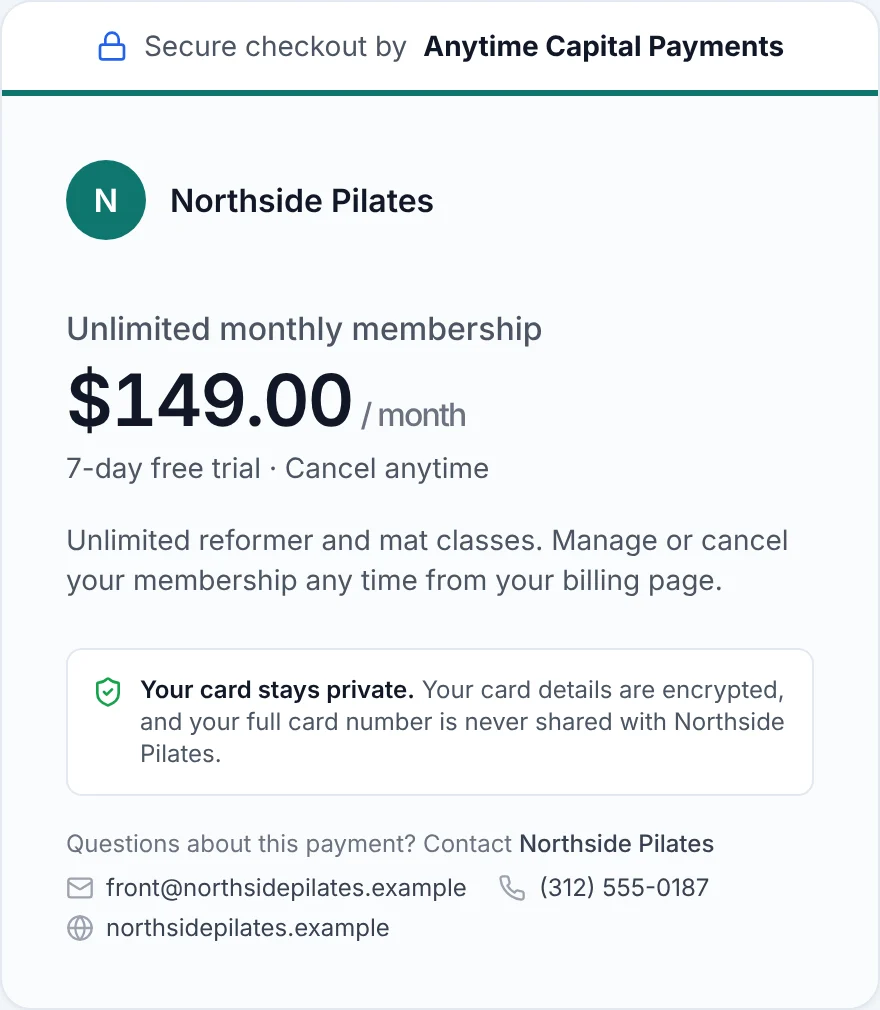 Gyms & fitness studiosA membership plan's checkout, with its free trialPayments for gyms & fitness studios
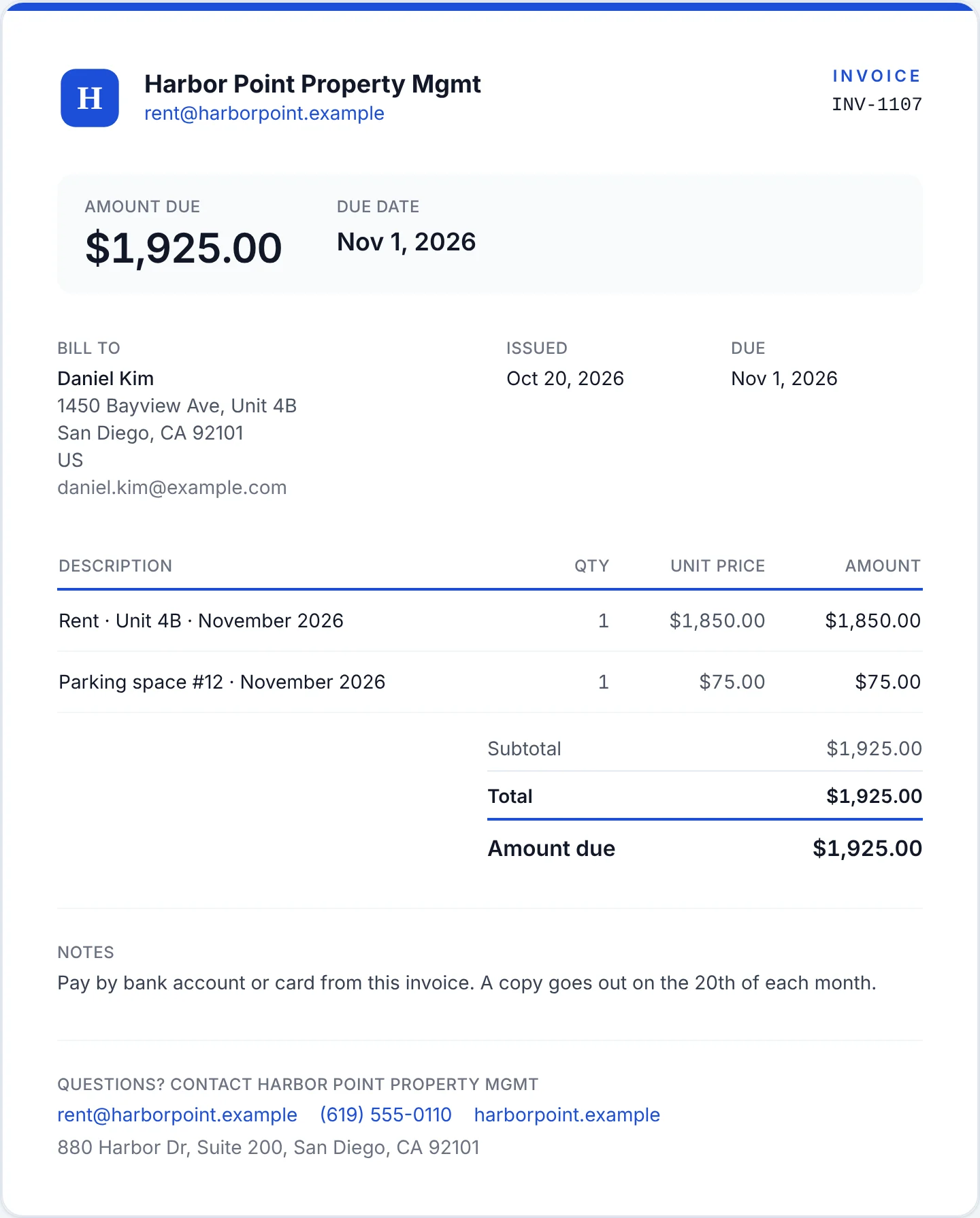 Property managementA rent invoice, with rent and parking as separate linesPayments for property management
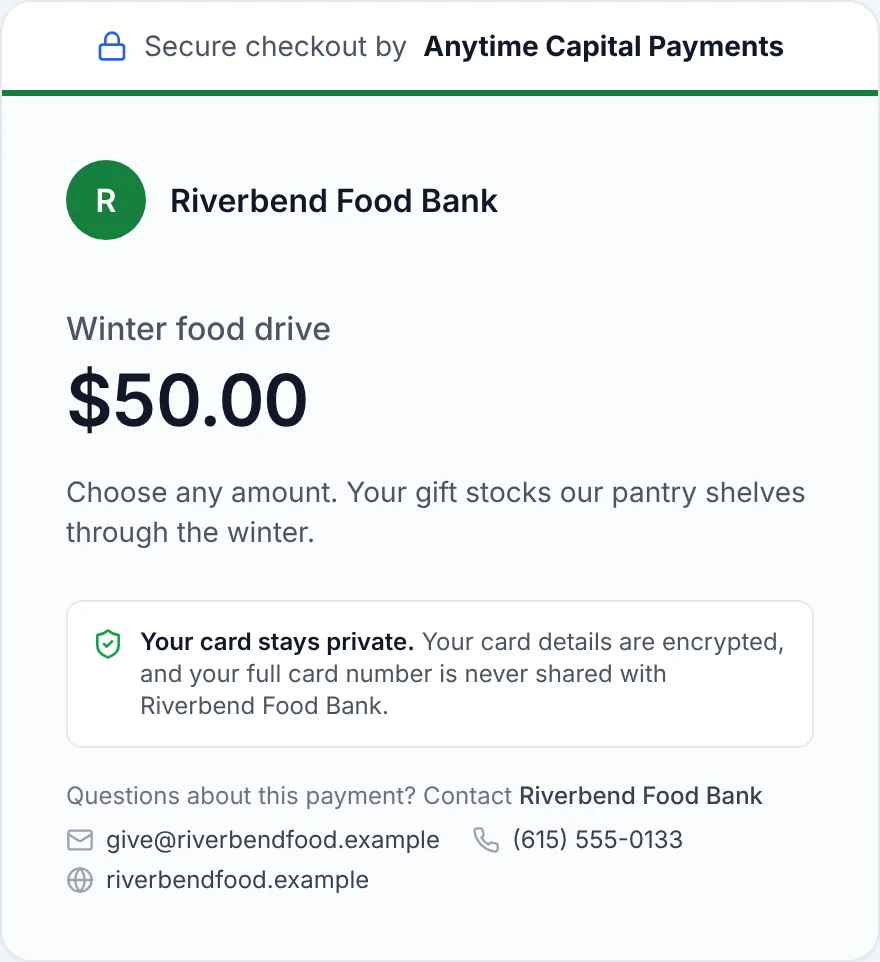 NonprofitsA donation link: donors choose the amountPayments for nonprofits
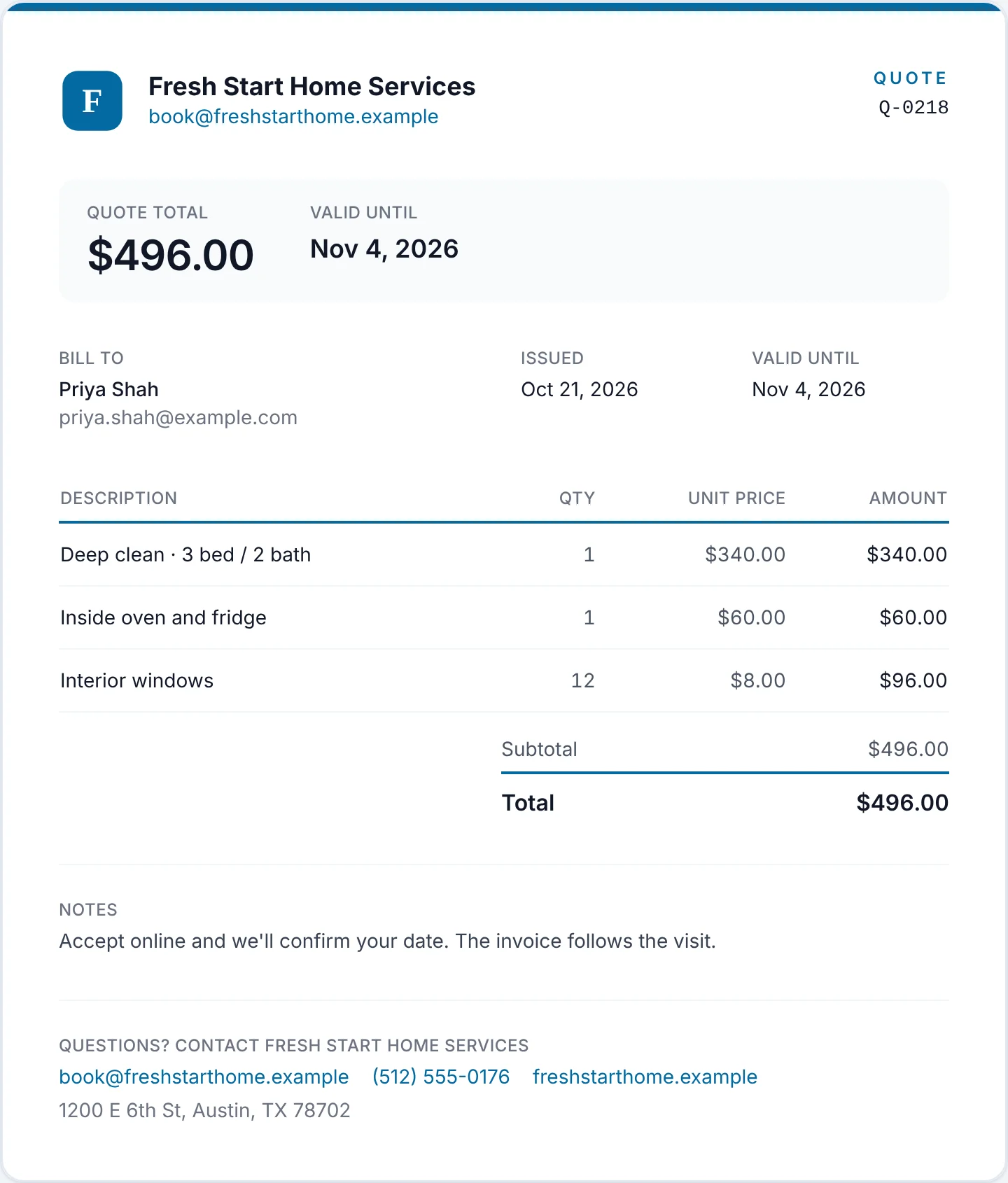 Home servicesA quote the customer accepts onlinePayments for home services
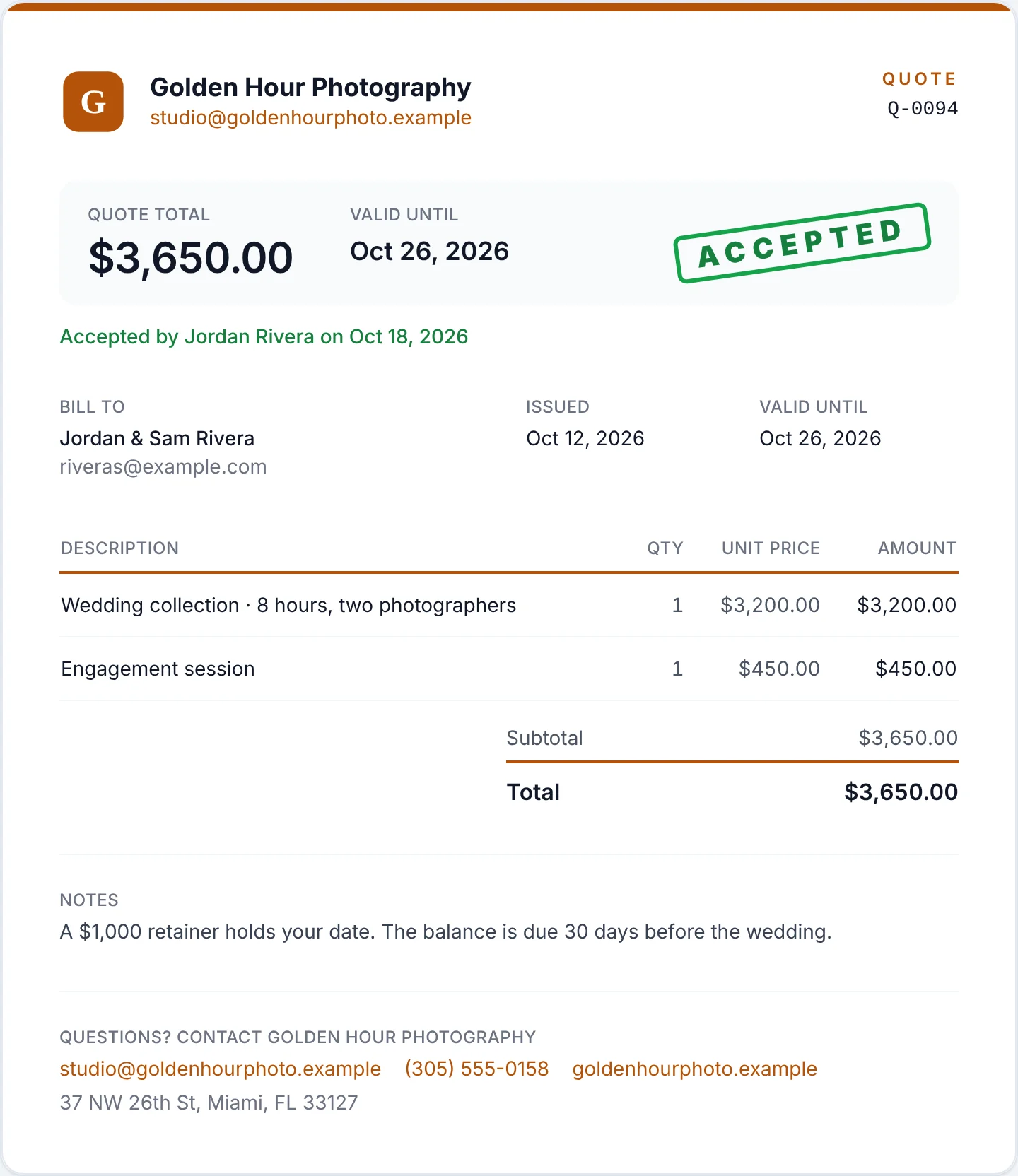 Photographers & videographersA quote, accepted online by the clientPayments for photographers & videographers
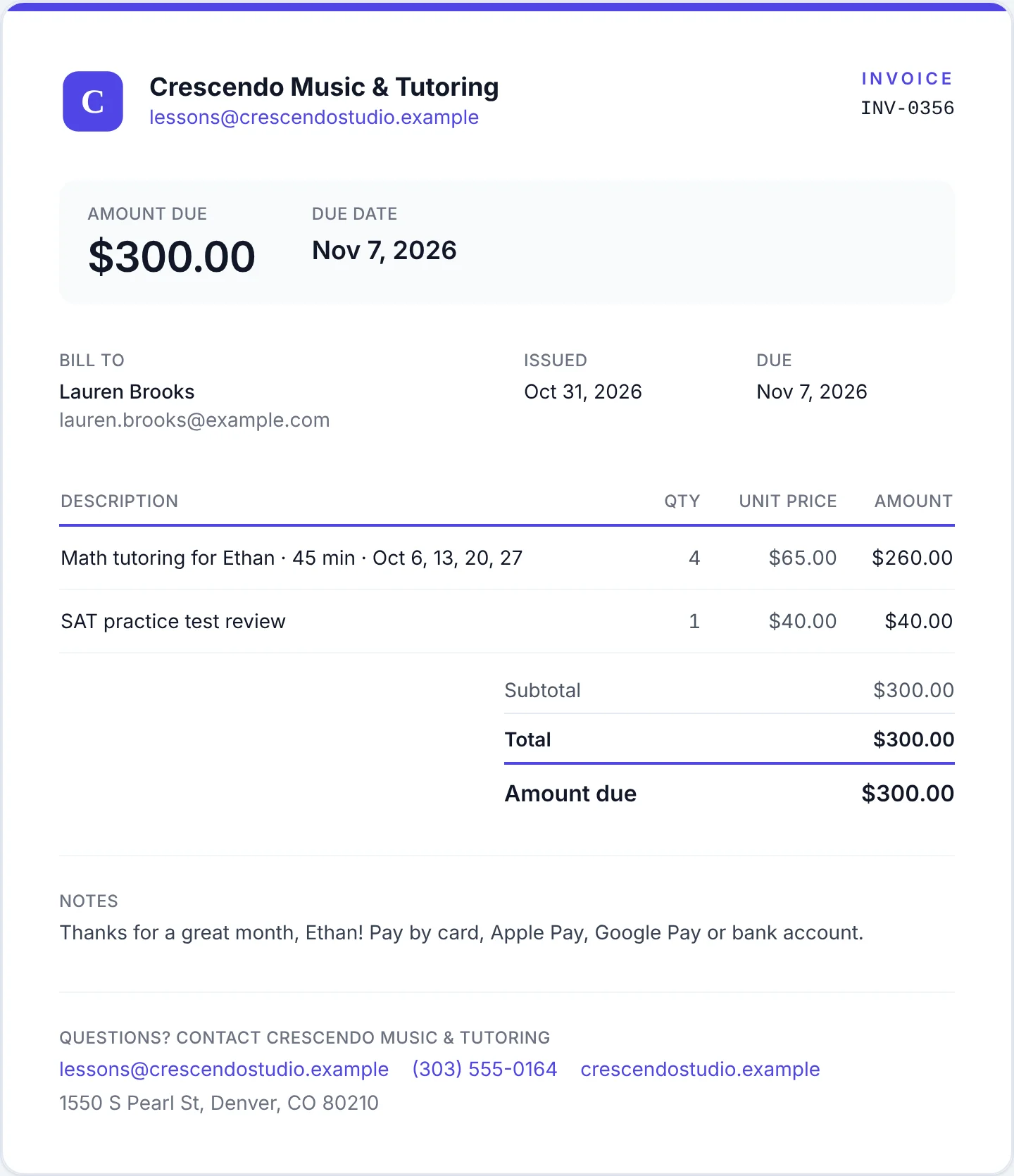 Tutors & lesson teachersAn invoice to a parent for the month's sessionsPayments for tutors & lesson teachers
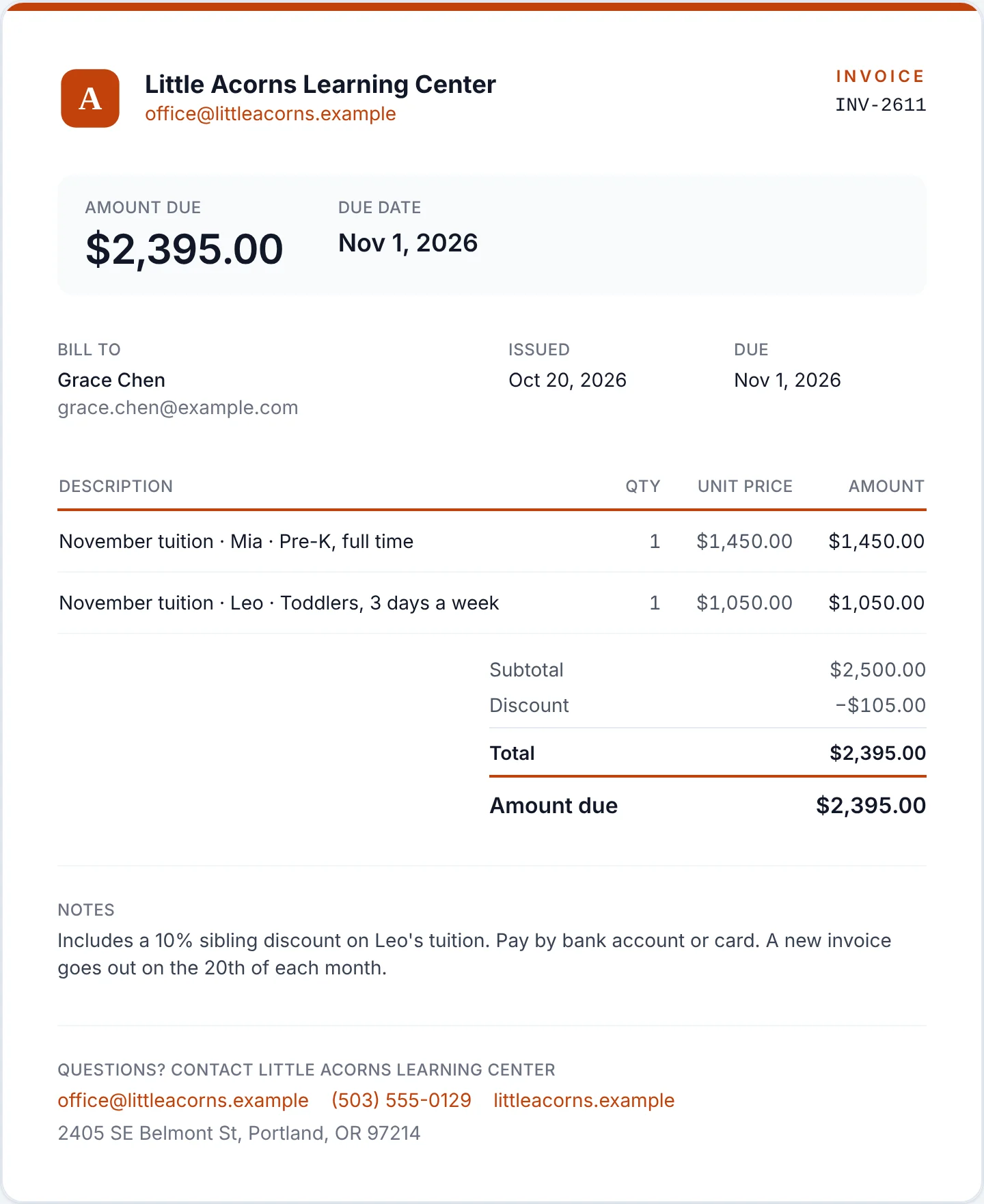 Childcare & daycareA family's monthly tuition invoice, with a sibling discountPayments for childcare & daycare
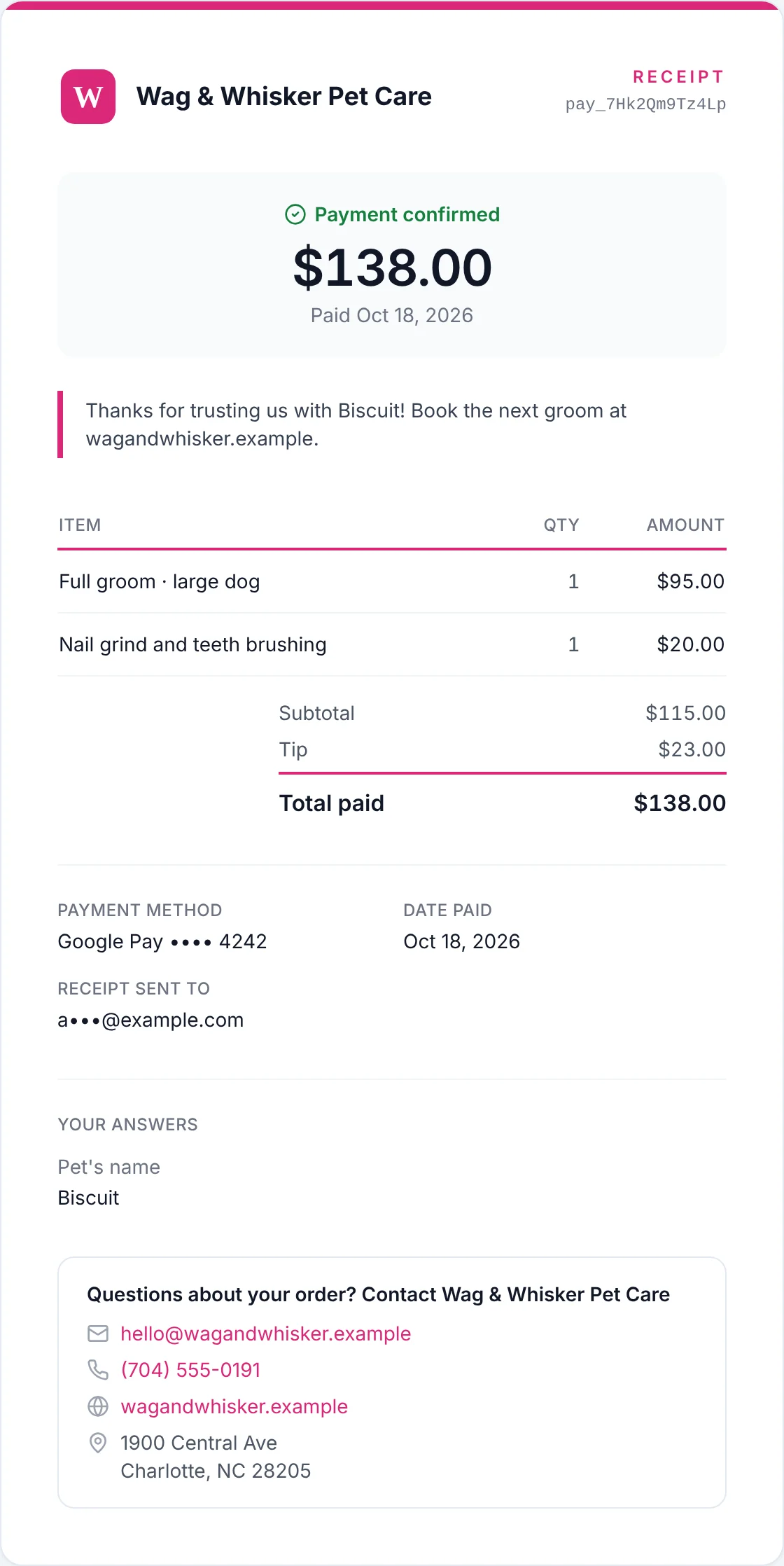 Pet care & groomingThe receipt, with the tip, the pet's name and your thank-you messagePayments for pet care & grooming
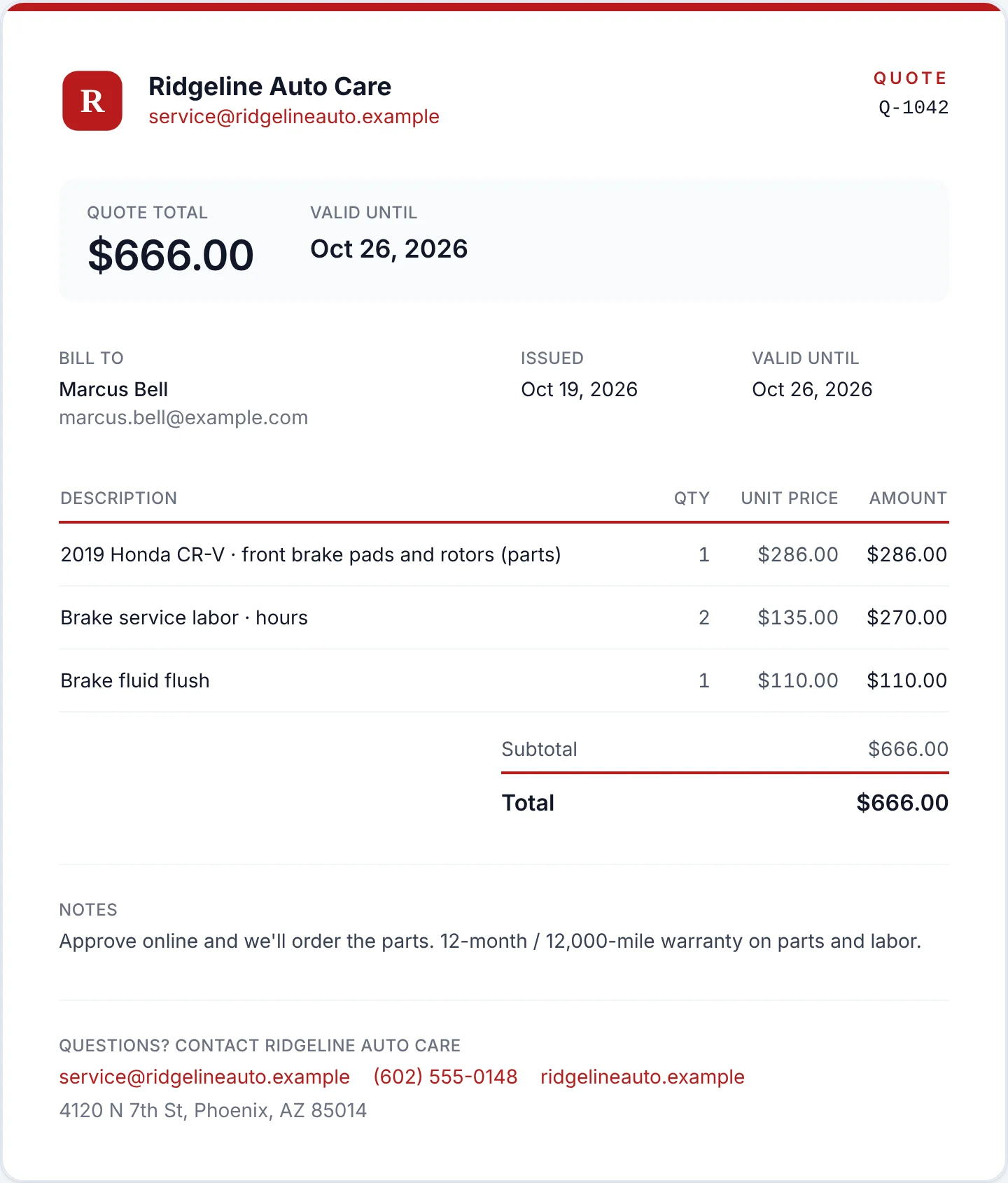 Auto repairThe estimate, sent as a quote the customer approves onlinePayments for auto repair
Anytime Capital product views, demo data.
One platform
Everything a business banks on, in one account
A business bank account that pays 71 countries in local currency, employee expense cards, payment processing and crypto, on one balance.
 Operating account
Available
$482,310.55
- Account
- •••• 4821
- Routing
- •••• 0371
- Receive by
- ACH · Wire · RTP · FedNow

 Weber FeinmechanikSEPA Instant€8,420.00Sending
 Textiles OrtizSPEIMX$184,300Sending
 Mehta Spice TradersUPI₹695,000Sending
Receive by ACH, wire, RTP and FedNow in your business's own name
Pay suppliers and contractors in 71 countries over the rail their bank already uses
SEPA Instant, Faster Payments, PIX, SPEI, UPI, PayNow and mobile money, with SWIFT everywhere else
Card sales land in the same balance the minute they settle
Docs and API
Integrate in an afternoon, or let your AI agent do it
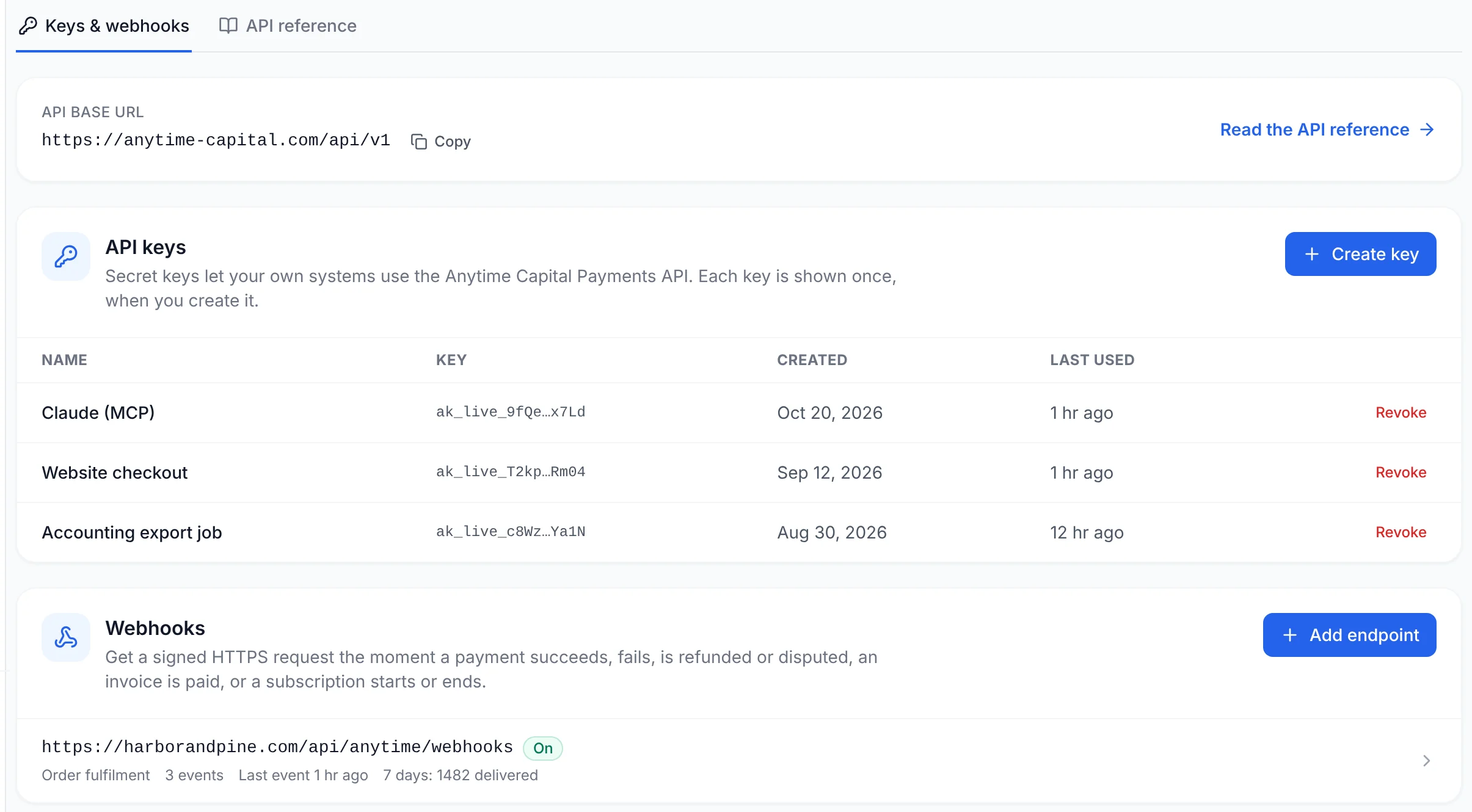
A REST API, signed webhooks and an MCP server, with docs written to be pasted: every page is also Markdown, and each one comes with a prompt for your AI assistant.
- MCP server
- https://anytime-capital.com/api/mcp
- Docs as one file
- /docs/llms-full.txt
curl -X POST https://anytime-capital.com/api/v1/payment-links \
  -H "Authorization: Bearer $ANYTIME_API_KEY" \
  -H "Idempotency-Key: order-1042" \
  -H "Content-Type: application/json" \
  -d '{
    "title": "Consulting — October",
    "amountCents": 12500,
    "singleUse": true,
    "metadata": { "orderId": "1042" }
}'- QuickstartGo from a new business account to your first paid payment link with the Anytime Capital Payments API: create a key, create a link, verify a webhook.Read
- Payment linksCreate, update and deactivate hosted payment links with the Anytime Capital Payments API: one per order or reusable, with metadata, and prefilled checkout.Read
- Checkout & websiteTake payments with hosted payment links, a Pay button or inline checkout on your website, your own checkout domain and your logo and brand colour.Read
- InvoicesCreate, list and send invoices with the Anytime Capital Payments API: line items, discount, tax and deposits, emailed in your branding and paid by card.Read
- WebhooksGet Anytime Capital Payments events by webhook: payments, refunds, disputes, invoices and subscriptions, signed with HMAC-SHA256 and retried for 24 hours.Read
- Fraud rules & 3D SecureProtect your Anytime Capital payments: block card countries, require 3D Secure above an amount, cap payment size, block high-risk scores and auto-refund alerts.Read
- Payout optionsWithdraw your Anytime Capital balance to your bank, standard or instant where eligible. Local rails in 71+ countries.Read
- AI agents hubConnect Claude, Cursor, VS Code and your own agents to Anytime Capital Payments through the MCP server, give them the docs as Markdown, and keep them safe.Read
MCP connection
Let your AI agent run payments, with a key you can revoke
Our MCP server gives Claude, Cursor, GitHub Copilot, Gemini and OpenAI agents the same API your developers use: payments, payment links, invoices and customers, with the same limits and the same activity log.
- ClaudeClaude Code & Desktop
- CursorMCP server
- GitHub CopilotMCP in VS Code
- GeminiMCP in Gemini CLI
- OpenAIMCP in the Agents SDK
- WindsurfMCP server
48 tools
- list_payments
- get_payment
- list_payment_links
- create_payment_link
- get_payment_link
- update_payment_link
- deactivate_payment_link
- list_invoices
- create_invoice
- get_invoice
- send_invoice
- list_customers
- create_customer
- get_customer
- update_customer
- list_refunds
- get_refund
- create_refund
- list_products
- create_product
- get_product
- update_product
- archive_product
- list_subscription_plans
- create_subscription_plan
- get_subscription_plan
- list_subscriptions
- get_subscription
- cancel_subscription
- pause_subscription
- resume_subscription
- list_discount_codes
- create_discount_code
- get_discount_code
- deactivate_discount_code
- list_payouts
- get_payout
- get_balance
- list_disputes
- get_dispute
- list_webhook_endpoints
- create_webhook_endpoint
- get_webhook_endpoint
- update_webhook_endpoint
- delete_webhook_endpoint
- list_events
- get_event
- send_test_event
$ claude mcp add --transport http anytime-capital https://anytime-capital.com/api/mcp --header "Authorization: Bearer ak_live_…"
✓ Added HTTP MCP server anytime-capital
> Invoice Northwind Studio $2,400 for the October retainer, due in 14 days, and send it.
⏺ anytime-capital · create_invoice({ customerName: "Northwind Studio", lineItems: [{ description: "October retainer", quantity: 1, unitCents: 240000 }], dueDate: "2026-11-07", send: true })
⎿ Invoice sent to dana@northwind.studio · $2,400.00 due Nov 7 · reminders on
> How much did we take by card this week?
⏺ anytime-capital · list_payments({ createdFrom: "2026-10-19" })
⎿ 214 payments · $31,904.18 gross · 2 refunds
Questions
Square fee calculator: FAQ
Free to embed
Add this calculator to your site
Accountants, bookkeepers, agencies and bloggers can put the square fee calculator on their own pages for free. Paste the code below where you want it. It is the same calculator, and it updates whenever the published rates on this page do.
<iframe src="https://anytime-capital.com/embed/fee-calculator/square-fee-calculator" title="Square fee calculator" width="100%" height="1040" style="border:0;max-width:640px" loading="lazy"></iframe>
<p style="font:13px/1.4 system-ui,sans-serif;margin:6px 0 0"><a href="https://anytime-capital.com/tools/square-fee-calculator">Square fee calculator</a> by Anytime Capital</p>
Other fee calculators
Where to go next
Important Disclosures
- Rates for Square are drawn from published US pricing (squareup.com/us/en/pricing, Square's help center articles on fees, deposit options and payment disputes, squareup.com/us/en/hardware and squareup.com/us/en/payments/instant-transfers) as of October 2026. Prices change and negotiated pricing differs; check current pricing before you decide. The calculator rounds each fee to the cent, and a processor may round differently.
- Anytime Capital is independent of Square. This page is not endorsed by, affiliated with or sponsored by any company it names. Third-party names and trademarks belong to their owners and are used only to identify the pricing shown.
- This calculator is for information only and is not financial, tax or legal advice.
- Dashboard screenshots show a demonstration business with sample data.
- Anytime Capital is a fintech company, not a bank. Payment processing, banking and payout services are provided by Anytime Capital's licensed partners. Rates shown are for US card payments; international cards, currency conversion and disputes may carry additional fees shown in your dashboard before you accept a payment.